
Safe Frame

SafeFrame Pro · Video tutorials

Video tutorial library

Short, step-by-step videos that show what's new in SafeFrame Pro and how to set it up, from your first price list to the moment your client downloads the photos.

  • 7 videos
  • Chapters you can jump to
  • Narrated in English
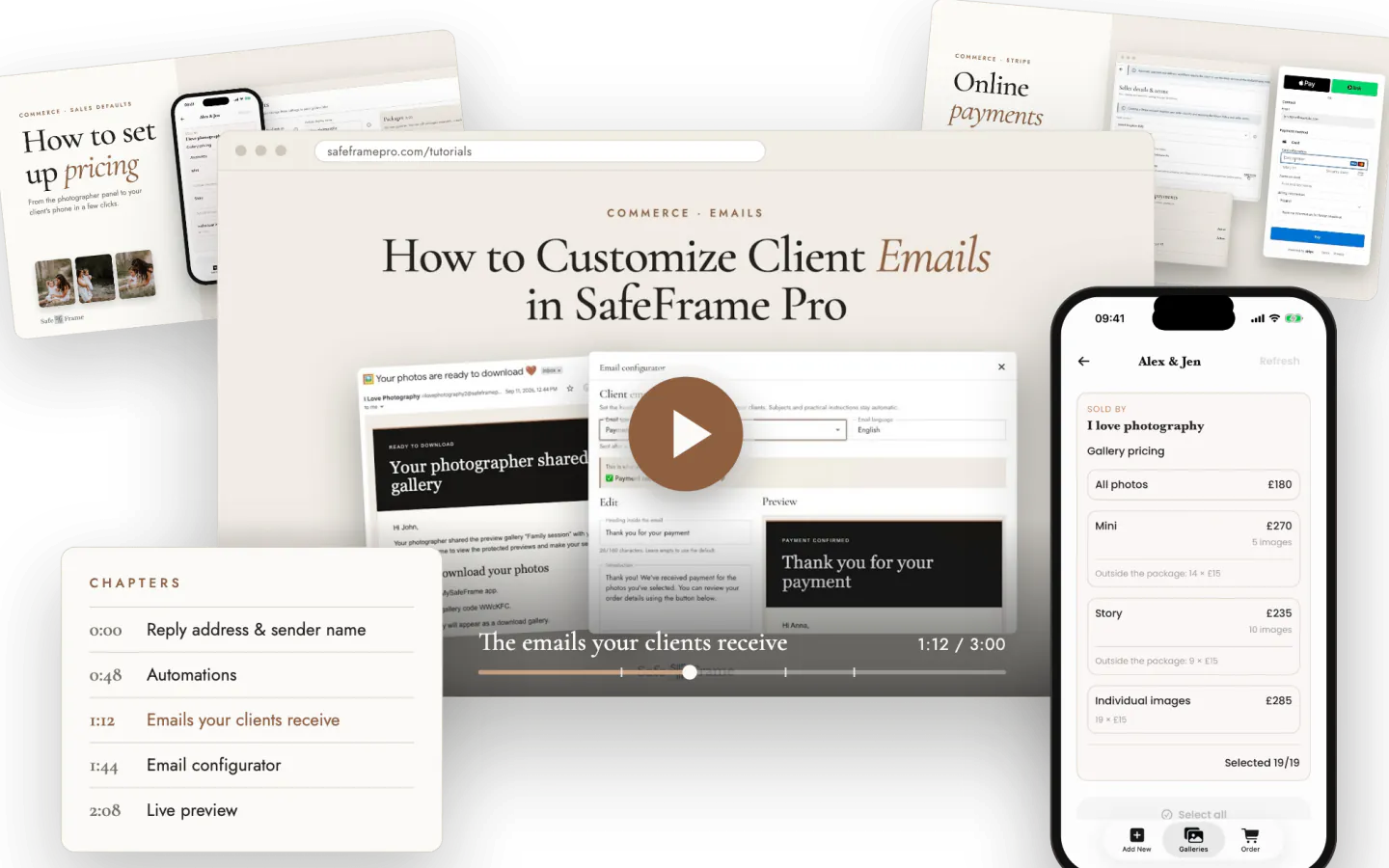
SafeFrame Pro video tutorials with chapters, the photographer panel and the pricing screen in the MySafeFrame app

Browse by topic

Find the right tutorial

Topic 01 · 1 video

What's new

A quick tour of the latest SafeFrame Pro features: gallery pricing, online payments and the email configurator.

#1New

What's New in SafeFrame Pro: Pricing, Online Payments & Email Customization

A 30-second tour of the newest features in SafeFrame Pro.

In this video

  • Gallery pricing: create your own packages, set per-photo prices, configure advances and much more.

  • Online payments: connect your SafeFrame Pro account with Stripe and make photo delivery smoother and faster.

  • Email configurator: personalize the emails your client receives.

Topic 02 · 3 videos

Commerce: pricing, payments & emails

Step-by-step guides to selling photos straight from your client's gallery.

#2New

How to Set Up Photo Pricing in the MySafeFrame App: Sales Defaults

Set up pricing for your client galleries with Sales defaults in the Commerce panel. Your clients see the price list in the MySafeFrame app and can order photos straight from the gallery.

Chapters

Good to know: Sales defaults are copied into every new gallery. Existing galleries keep their own settings, so change them in that gallery's Payment settings.

Watch on YouTube
#3New

How to Connect Stripe in SafeFrame Pro

Connect Stripe to your SafeFrame account so your clients can pay online for their photo orders. Fill in your seller details, accept the terms and create your Stripe account in a few steps.

Chapters

Good to know: Prefer to settle payments yourself? You can also use offline payments, shown in the pricing tutorial.

Watch on YouTube
#4New

How to Customize Client Emails in SafeFrame Pro

Send professional, branded emails to your clients. Set your reply address, your own @safeframepro.com sender address and sender name, then personalize every email in the Email configurator with a live preview.

Chapters

Good to know: Email customization requires the Plus plan or higher. On lower plans, clients receive the standard SafeFrame emails.

Watch on YouTube

Topic 03 · 3 videos

Getting started & photo delivery

How SafeFrame works and how your clients download their photos.

#5

SafeFrame Pro App Walkthrough

A guided tour of the photographer panel and how every action in SafeFrame Pro shapes your client's experience in the MySafeFrame mobile app.

  • A walk through the photographer panel and its main features
  • How your actions in SafeFrame Pro show up in the MySafeFrame app
  • How the platform and the app work together to deliver a secure gallery
#6

How to Download Photos with the MySafeFrame App

Share a gallery from the safeframepro.com panel and let your client download the photos with the MySafeFrame app.

  • Share a gallery from the safeframepro.com panel
  • Open the shared gallery in MySafeFrame
  • Download photos directly to the device

Still have a question?

Our FAQ answers the most common questions about galleries, the MySafeFrame app and billing.

Begin with your next gallery

Start free for 7 days.

Use every Safe Frame feature from day one.

Start Free Trial

No credit card required